
Hammer AI Review: Local Roleplay on Your Own Hardware
The Short Answer on Hammer AI
Hammer AI makes the sexiest promise in this whole category: nobody's watching, because your chats never leave your own computer. Cute. The catch is that your PC does all the heavy breathing, and that one fact shapes almost everything about how good the roleplay gets.
VERDICT: Hammer AI is a solid pick for private, uncensored text roleplay, as long as you have the hardware and the patience for local models. If you want to actually see your character, GoLove.ai is the pick, and you skip model downloads entirely. · Best for: privacy purists with a capable PC who only need text · Skip if: you want photos requested in chat, one-tap video, or 18+ Series whose stars you can chat with afterwards · Tiebreaker: your hardware. On Hammer AI it sets the ceiling. On GoLove it doesn't matter.
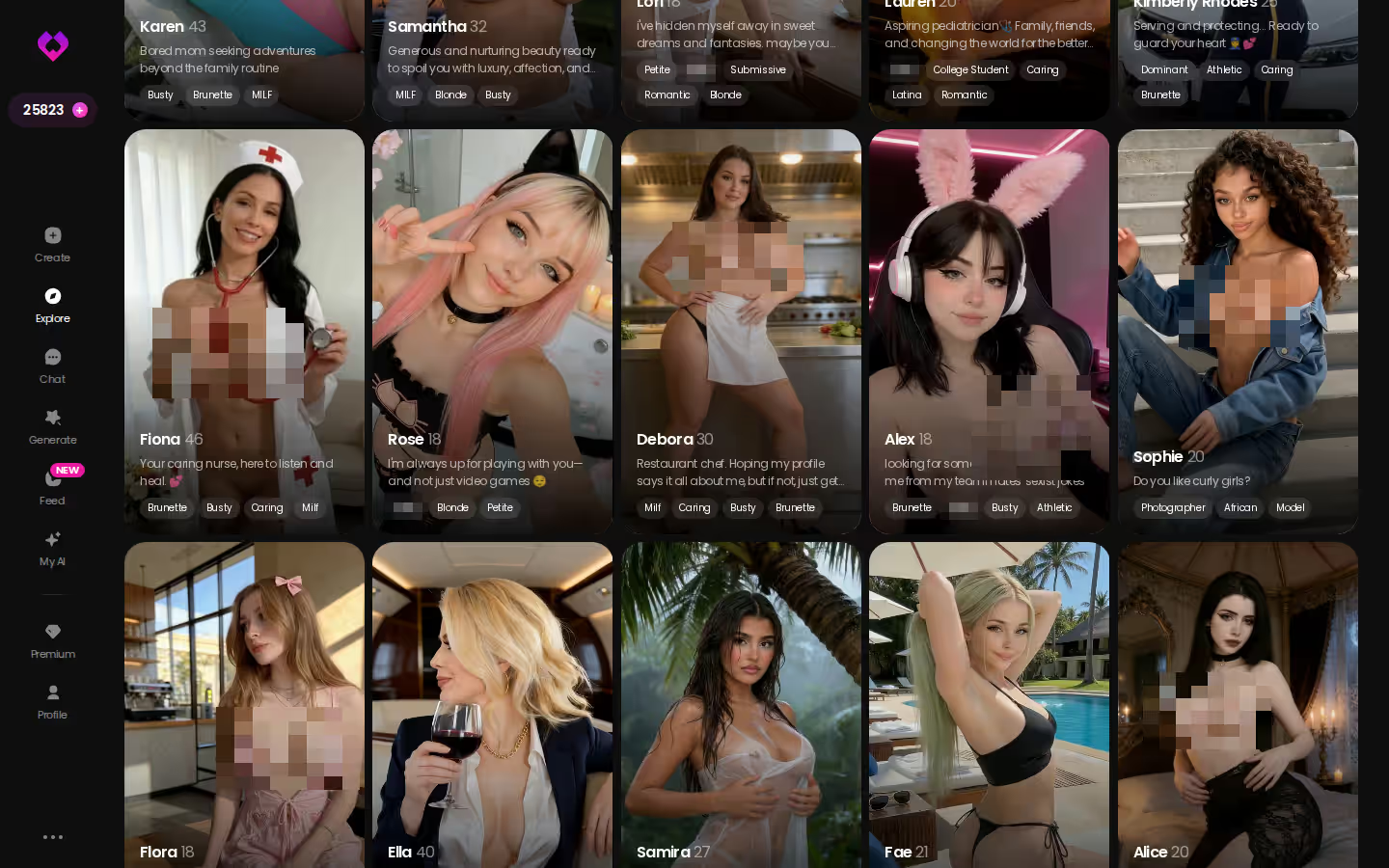
Why click now: every card on that Explore grid opens a chat on the spot. No installer, no multi-gigabyte download, no waiting for your fans to spin up (romantic, I know). You tap a face and you're talking to her.
Key points · GoLove.ai
- Where chats run: In the cloud
- On-device privacy: No, cloud-based
- Setup: Chat opens straight from Explore
Short answer: Honest split first: if you're a privacy-first text roleplayer with a strong PC, stay on Hammer AI.
What Hammer AI Actually Is: A Chat App That Lives on Your Machine
Hammer AI is a character chat app built around one idea: the model runs on your computer, not on someone's server. In practice, local means:
- Data stays on your device, so your chats live where you put them
- No server sits in the middle reading over your shoulder or hitting the brakes
- Hardware decides the results, because your machine is the engine
Plans change, so check Hammer AI's site for current pricing and supported systems.
Setup: install, pick a model, then wait for the download
You install the app, choose a model and download it. Those model files are chunky, so free disk space matters, and the first run asks for a kind of patience no cloud app ever will. It isn't hard. It just isn't instant.
The model you choose is the real product
People underrate this part. The interface is the outfit; the model is the date. Roleplay quality, how explicit things get and how fast replies arrive all follow whichever model you load. Same app, different model, completely different evening.
Your RAM and graphics card set the ceiling
Local models lean hard on memory and the graphics card. A strong desktop can run bigger, sharper models, while a modest laptop gets stuck with smaller ones, slower replies and flatter characters. Put bluntly, your machine is part of the cast.
Hammer AI Roleplay: Uncensored Text, Hardware-Shaped
Text is where Hammer AI earns its keep. How good that text gets depends on what's under the hood.
Where the spice genuinely comes from
With no cloud filter in the loop, there's no policy team setting the explicitness. That job falls to the model and to how the character is written. Pair a capable model with a well-built character and it can get spicy for real. A small model with a thin prompt, on the other hand, is all bark: it calls itself uncensored, then writes like a nervous greeting card. That's the gap between real naughty and marketing naughty, and on a local app you're the one picking which version shows up.
What we could not confirm: photos, video, series
We could not confirm in-chat photo requests, video generation or any series-style content for Hammer AI. Treat it as a text-first experience unless its own site tells you otherwise.
Pros
- Privacy: chats stay on your device
- Model choice: you can swap the "brain" to suit your hardware and taste
- Uncensored text depth that scales with a good model
Characters you can open right now
Tap any of them and the chat starts there




Cons
- Setup friction: install, choose, download, wait
- Hardware-bound quality, so weaker machines get weaker roleplay
- Media layer we could not confirm
Hammer AI vs GoLove.ai: The Scorecard
Each row goes to whichever app actually wins it.
| What matters | Hammer AI | GoLove.ai | Edge |
|---|---|---|---|
| Where chats run | On your own PC | In the cloud | Hammer AI |
| On-device privacy | Yes, chats stay local | No, cloud-based | Hammer AI |
| Setup | Install plus a model download | Chat opens straight from Explore | GoLove.ai |
| Hardware needed | RAM and graphics card matter | Nothing beyond a browser | GoLove.ai |
| Photo requests in chat | Not confirmed | ~20–45 s, 1 Star | GoLove.ai |
| Video | Not confirmed | Photo-to-video (10 Stars) plus a preset generator | GoLove.ai |
| 18+ Series | Not confirmed | 11 series / 65 episodes (as of 2026-11-08) | GoLove.ai |
| Price | Not verified, check their site | PRO about $19.99/month or $119.88/year | — |
Prices checked 2026-10; promos vary.
If privacy is the whole point, Hammer AI is your app, and no table changes that.
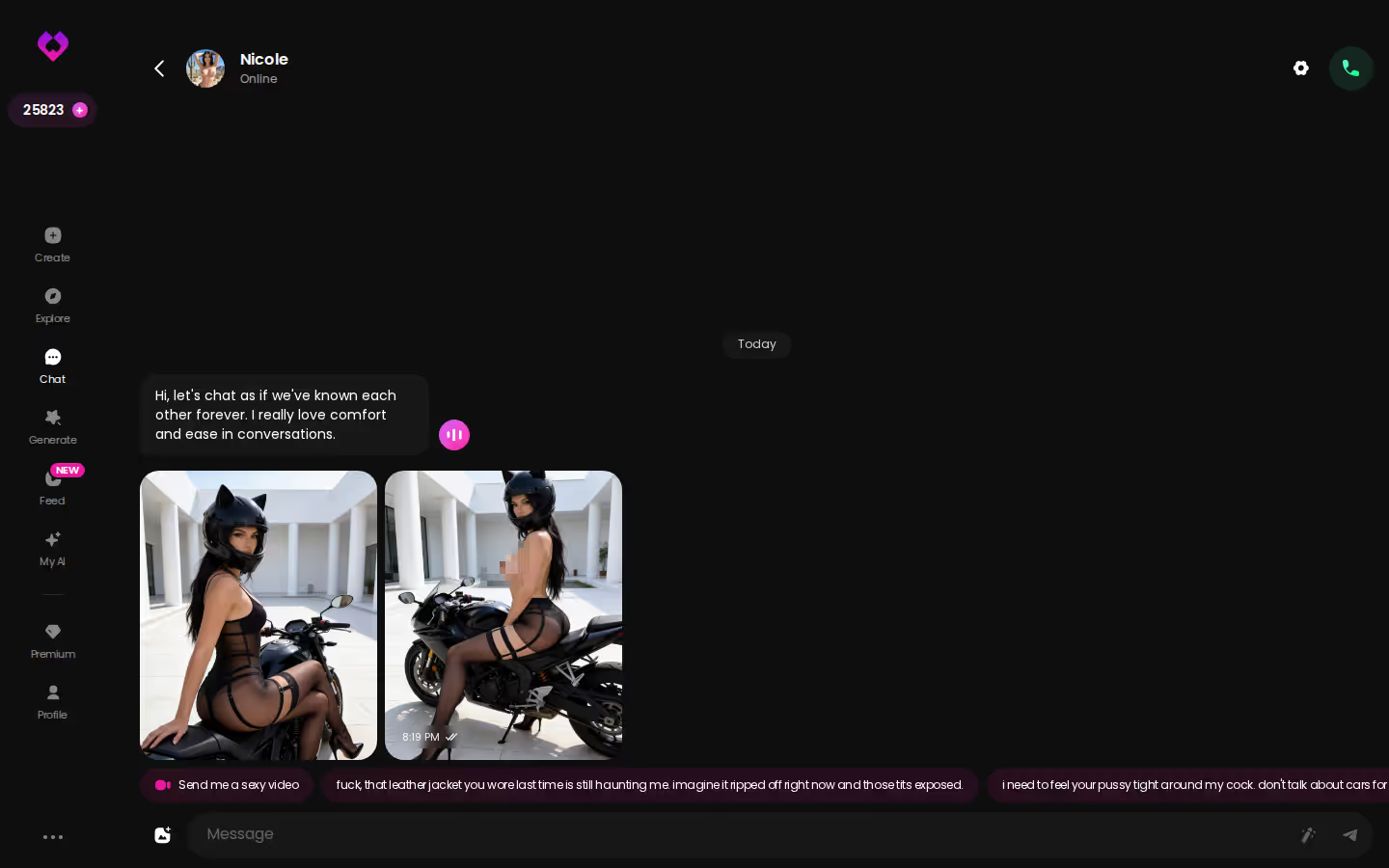
That screenshot is the other half of the table: a running chat where photos land right inside the thread and the character stays herself from one message to the next. Getting there takes a single tap from Explore. That's the entire setup.
Where GoLove Fills the Gap: Photos in Chat, Video and Series
So how does the visual gap actually close? Start with a Series, say "My AI Girlfriend," a seven-episode sci-fi tease starring Lexie (@iamlexiebabe). Episodes 1 and 2 are free, even without an account; from episode 3 on you need PRO plus a few Stars per episode. Once you're hooked, tap Start Chatting under the player and you land in her chat. Same character, no hunting around.
Inside that chat, open the media button, hit Send Photo and describe the scene in your own words. A photo of that same Lexie arrives in about 20–45 seconds for 1 Star, her face and body consistent with her avatar. Right under it, Generate Video turns the scene into a roughly 5-second clip for 10 Stars. Oh, this one's trouble, in the best way.
Quick checklist
What GoLove.ai gives you:
- Live voice calls and voice messages
- She remembers your chat history
- Photos on request in the chat
- Image generator with 35 realistic poses and 21 outfits
- 2 reward stars every day you log in
Prefer to direct? Open Generate → Image and stack presets: an Action, an Outfit and a Scene. The realistic set has 35 poses, 21 outfits and 34 backgrounds, with custom options for each, and you pick a batch of 2, 4 or 8.
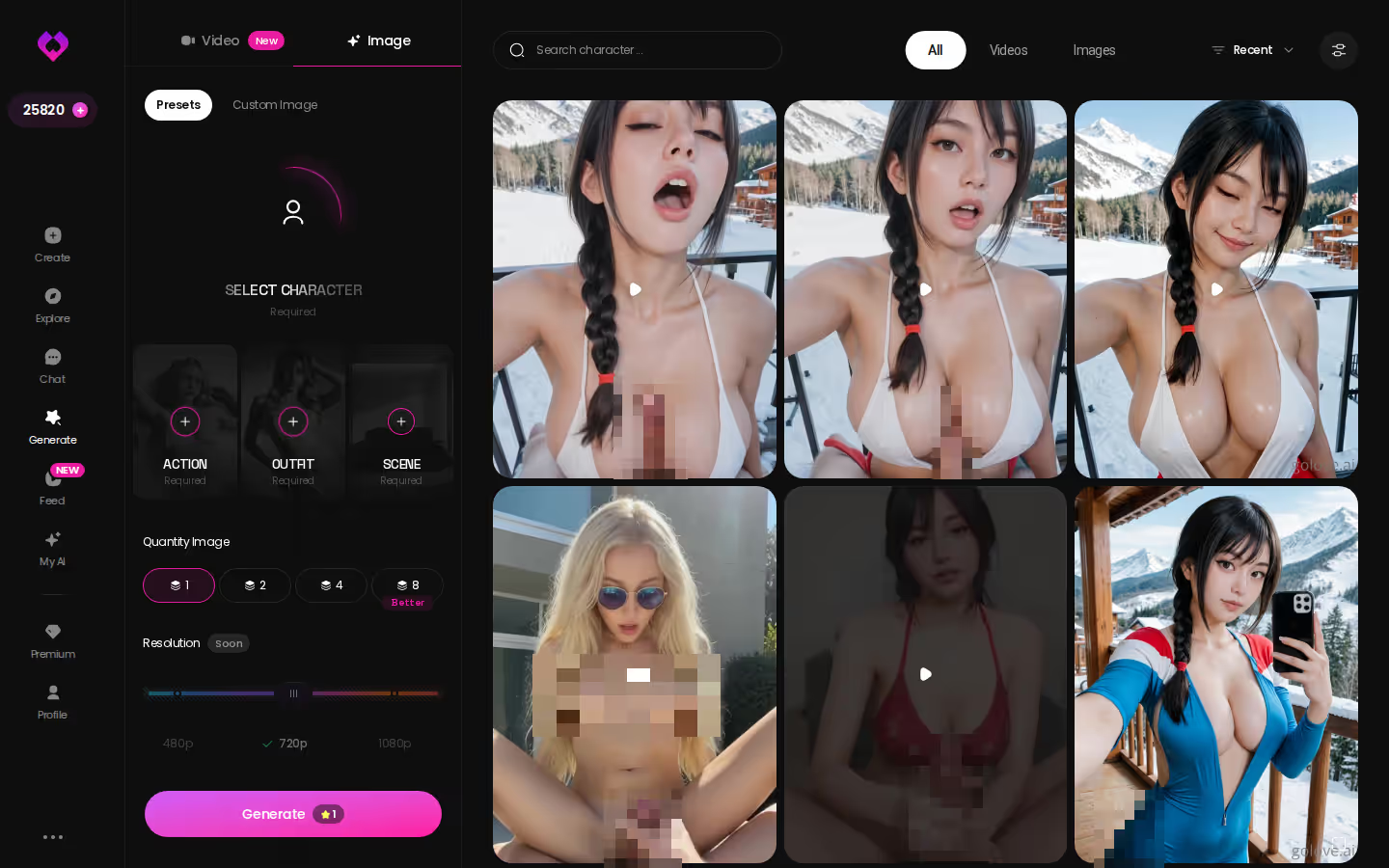
That's the whole visual layer we could not confirm on Hammer AI, sitting a few taps from the episode you just watched.
Your Chats Leave Your PC: What GoLove's Cloud Costs You
Let's be fair about the trade. Picking GoLove.ai over Hammer AI costs you two real things. The first is on-device privacy: your chats leave your PC and run in GoLove's cloud. The second is the freedom to run models on your own terms, choosing, swapping and tinkering as you like. If either one is non-negotiable, staying local is a perfectly sane choice.
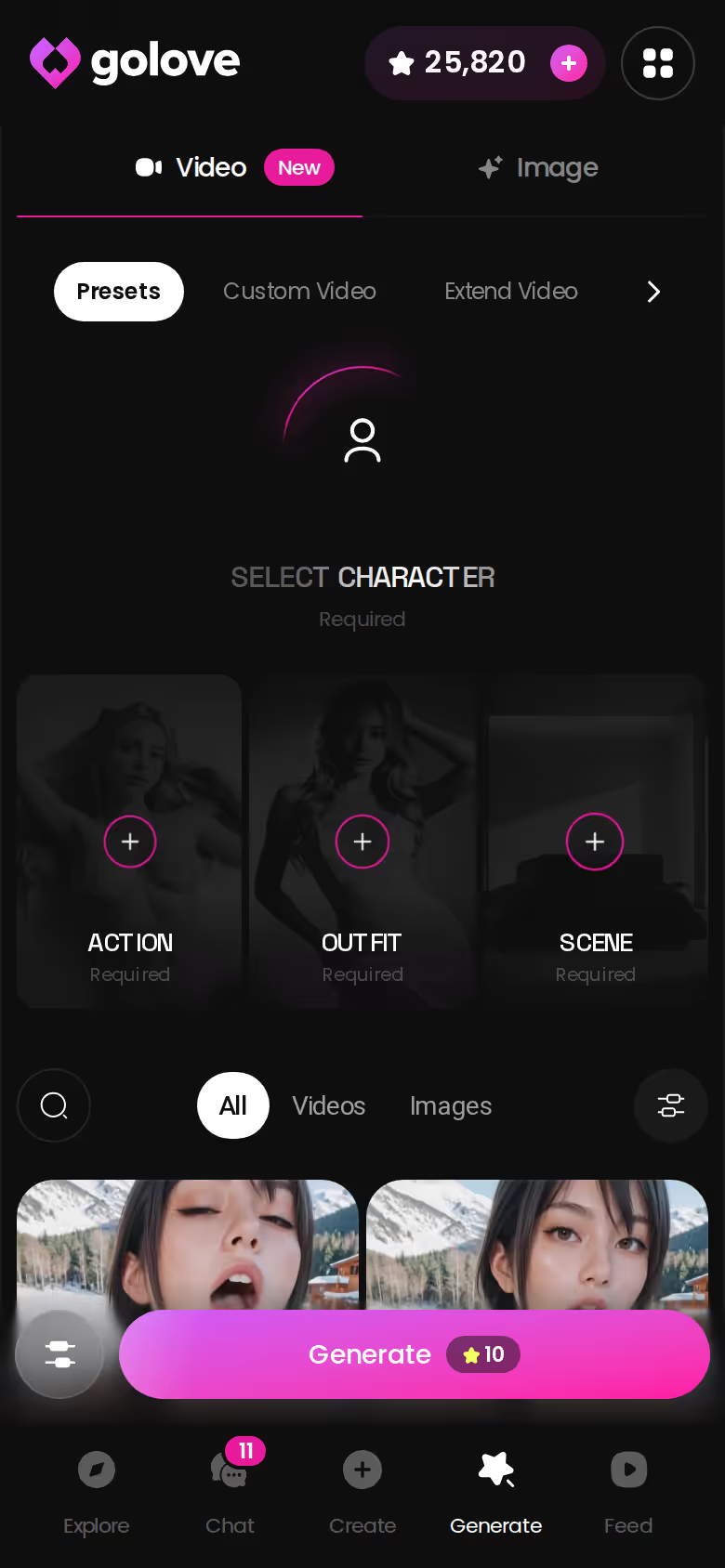
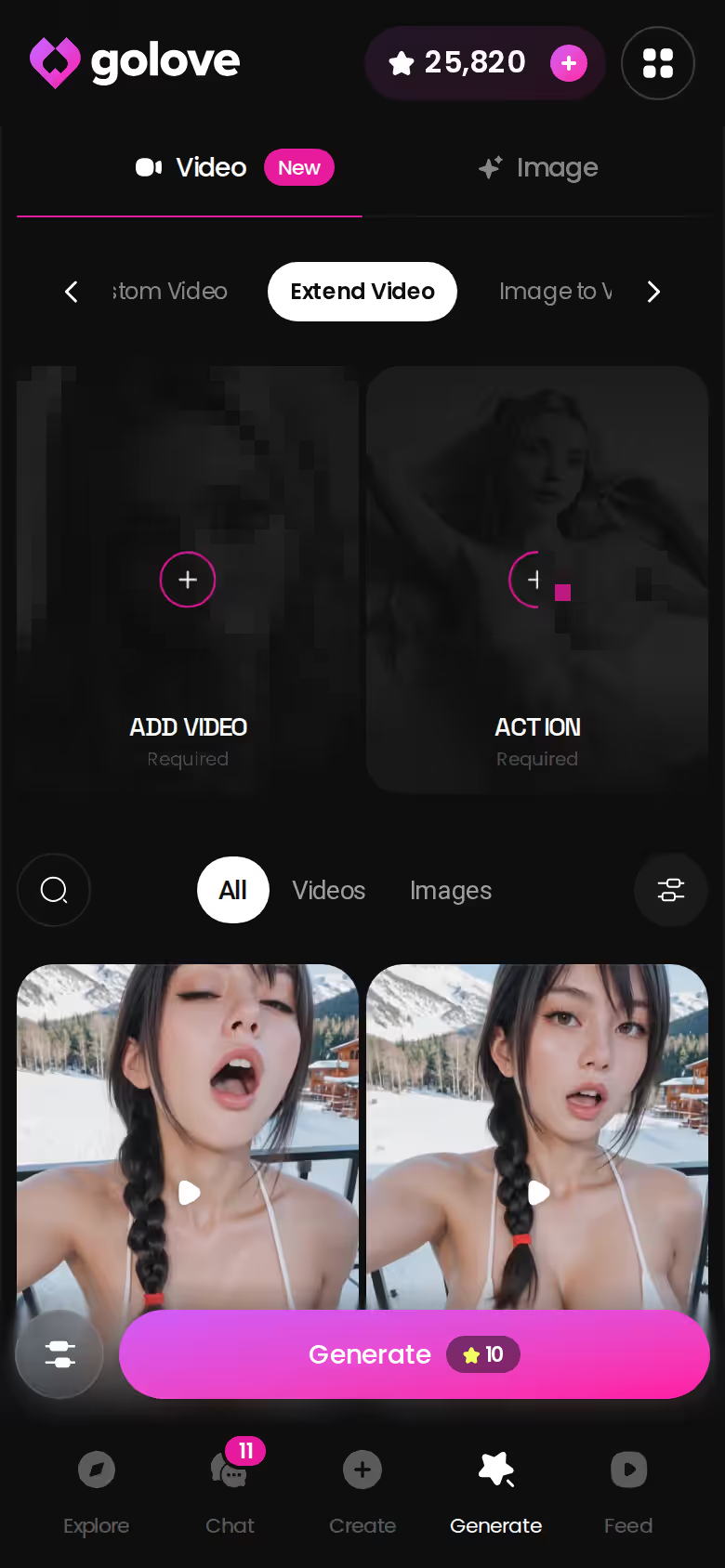
What you get back is photos, video and Series with no hardware ceiling. An old laptop and a gaming rig get the same generator, and the screenshot below shows it running on a phone with no install and no GPU.
The pricing, briefly:
- PRO: about $19.99/month or $119.88/year, with 100 Stars monthly, all NSFW content and unlimited Feed
- Star packs: from about $9.99 for 30 up to $299.99 for 3,000
- Base rates: 1 Star = 1 image, 5 Stars = 1 video (some video options cost more, like the 10-Star photo-to-video)
- Free: 2 daily reward Stars
We could not verify Hammer AI's pricing, so check their site. If you're hunting for a Hammer AI alternative because you want to see her, the trade nets out in GoLove's favor.
Prices checked 2026-10; promos vary.
Before You Install Hammer AI: A Quick Checklist
Five quick checks before you hit download:
Disk space: model files are big, so clear room first · RAM and graphics card: know what you're working with, because they decide which models run well · Text or visuals: be honest about whether words alone will keep you interested · Current plans: check Hammer AI's site for pricing and supported systems · Privacy vs. convenience: decide how much "nobody's watching" is worth to you
Can I use both? Yes, and it's a delightfully unhinged little setup. Keep Hammer AI for private text sessions and use GoLove for photos, video and Series. If you're shopping local apps first, our review of Backyard AI, the ex-Faraday local chat app is a good next read.
The Pick, and Who Should Stay on Hammer AI
Honest split first: if you're a privacy-first text roleplayer with a strong PC, stay on Hammer AI. On-device chat is its real strength, and it earns it.
For this search, though, GoLove.ai is the pick. You can see and keep the same character across photos and video, and you can meet her in a Series before you ever type hello. That visual continuity is exactly what we could not confirm on the local side.
Builders get their own shortcut. With Design with AI, you describe a companion in plain text, up to 2,000 characters, and in about a minute you have a named character with her own @handle, a bio and a portrait. Once she exists, keep going and stretch her clips longer with Extend Video.
Want the wider field first? Here's our roundup of the naughtiest AI chat apps worth paying for.
Your own character, built in about a minute from a few lines of text, with no graphics card breathing heavily under the desk (oh, the luxury). Describe her and she's yours.
Frequently Asked Questions
Related Articles

Caveduck AI Review: Roleplay Chat and Where It Stops
Caveduck AI review: an NSFW-friendly character chat whose memory, limits and pricing we couldn't confirm. GoLove.ai adds in-chat photos and Series — compare.

Janitor AI Review: Why GoLove.ai Wins on Realism
Janitor AI review: solid characters, but GoLove.ai wins on live voice, photo continuity, and video generation. See the difference — instant-access needed.

NovelAI Review: For Spicy Story Writers, Not Sexting
NovelAI review: an uncensored story-and-image AI made for writers, not companionship. GoLove.ai wins on in-chat photos — chat opens from Explore.

Aroused AI Review: Spicy Promises and the Fine Print
Aroused AI review: a loud NSFW pitch, but we couldn't confirm its pricing, voice or image limits. GoLove.ai — voice calls, in-chat photos — compare first.