
Pygmalion AI Review: The Open-Source Setup Tax
Pygmalion AI Scorecard: Setup, NSFW Range, Media, Cost
Pygmalion AI has the reputation every naughty chatter loves: open source, uncensored, nobody's filter but yours. The Reddit threads tend to skim past the catch. Before it says anything spicy, you're the one building the bed.
That's why the table below counts hours, hardware and missing media alongside the dollars.
| Pygmalion AI | Janitor AI | SpicyChat | GoLove.ai | |
|---|---|---|---|---|
| What it is | Open-source roleplay model family + community | Hosted character chat site | Hosted character roleplay app | Hosted AI companion app with media |
| Setup friction | High: model files, front-end, config | Low; own API key optional | Low: hosted | None: chat opens from Explore |
| NSFW text | Uncensored; depends on model, card, prompt | NSFW allowed | Persona-based roleplay; check content rules | Lust slider, 1 sweet → 5 unfiltered |
| In-chat photos/video | Not confirmed | Not confirmed | Images on higher tiers; video not confirmed | Photo in ~20–45 s (1 Star); photo-to-video (10 Stars) |
| Entry price | Free model; hosted options vary — check their site | Free tier; paid Pro plan — check their site | Free tier plus three paid tiers — check their site | 2 free Stars/day; PRO plan (prices below) |
| Best for | Openness and control | Free to start | Cheapest paid plan | Same character in chat, photos, video |
Prices checked 2026-10; promos vary.
Where that leaves you: Pygmalion suits people who find the wiring half the fun. For everyone else my recommendation is GoLove.ai, because one thread covers the conversation, her pictures and a short clip of her, and that combination is what wins it the setup and media rows.
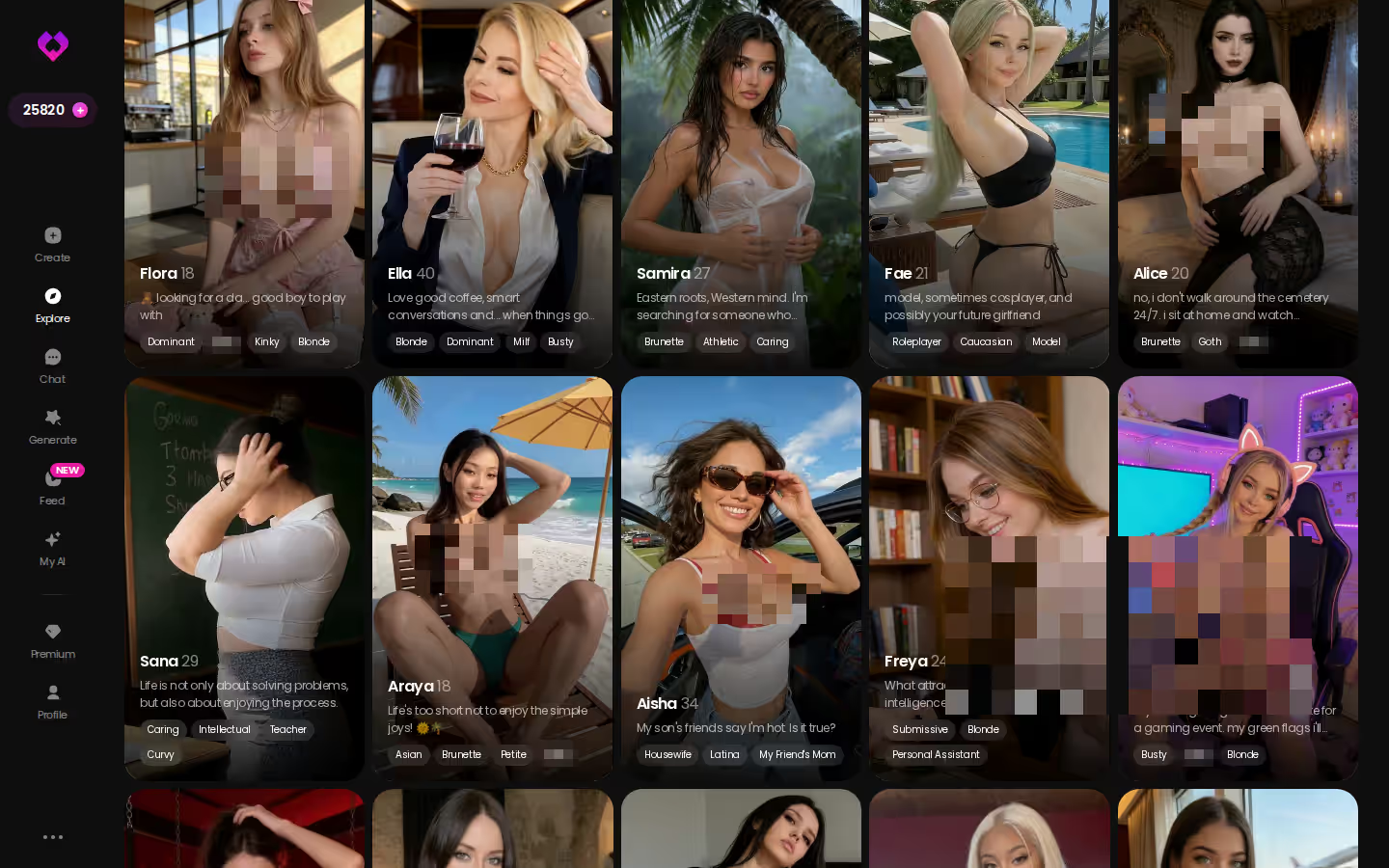
That claim takes about thirty seconds to check. The Explore grid lays out the characters, and tapping one drops you into her conversation, with no installer and no YAML in sight (oh, the luxury). Creating an account is free.
Key points · GoLove.ai
- Versus Pygmalion: hosted, so there is nothing to install or maintain
- First message: tap a face in Explore and her chat is already open
- Heat control: a Lust Level from 1 (sweet) to 5 (unfiltered)
Short answer: if you'd rather not run a stack, GoLove handles the plumbing.
What Pygmalion AI Actually Is: Model, Community, Front-End
Most of the confusion starts here. People use "Pygmalion" for several different things, and they aren't one product.
Pygmalion is an open-source family of roleplay models, plus the community that builds and shares around them. It is not a finished app with a login screen. You reach it through three layers:
- Model: the open-source engine that writes the replies. Its size and version decide how well it holds a scene.
- Front-end: the interface you chat in, such as SillyTavern. It handles prompts, settings and history.
- Character card: the persona file that tells the model who she is, how she talks and how far she goes.
Q: Is Pygmalion the same as SillyTavern? A: No. Pygmalion is a model, and SillyTavern is an interface you can point at it (or at other models). Swap either one and the whole experience changes.
Cards travel between setups, which is why card hubs matter. See our Chub AI review, where community character cards pile up. For a hosted, card-driven route, our Janitor AI review covers its free model and API-key option. And if you're after long-form story writing rather than roleplay, NovelAI is the name that keeps coming up.
Running Pygmalion on your own machine
Going local means four jobs, and all four are yours:
- Get a machine with enough graphics muscle for the model size you pick.
- Download the model files.
- Install a front-end.
- Wire the model and the front-end together.
Every step comes with its own settings. Bigger models ask more of your hardware, and nobody can give you one universal number, because it depends on your rig and the version you grab.
Hosted front-ends and rented compute
No hardware? You can rent compute or use a hosted service that runs Pygmalion-style models. That's easier, but you've traded your rules for theirs: their pricing, their content policy, their data handling. Check their site before you get attached.
What free really costs
The model costs nothing. The evening you lose to a config error costs something, though, and so do the GPU, the electricity and the update that breaks everything on a Friday night. Oh, this one's trouble. The fun kind, if wiring is your idea of foreplay.
Before you try self-hosting
- [ ] A machine you're comfortable dedicating to it
- [ ] Patience for config and troubleshooting
- [ ] A front-end chosen
- [ ] Character cards sourced
- [ ] A plan for where your chats are stored
How uncensored the text gets
No filter sits between you and the reply. What comes back depends on three things: model size, the character card and your prompt. Put a sharp card on a capable model and it can get spicy for real, even delightfully unhinged. A thin card on a small model tends to be all bark, either repetitive and try-hard or wandering out of character. Your config sets the ceiling, not a policy page.
Memory lives in the front-end
The interface and the card handle continuity between them. The front-end decides how much history and persona get fed back each turn. Set it up well and the scene holds. Neglect it and she forgets your name mid-flirt (rude).
Characters you can open right now
Tap any of them and the chat starts there




Where the text stops
We could not confirm native photo or video generation in Pygmalion's own stack. If you want pictures, you bolt on separate tools, which means another install and another config, and keeping her face consistent becomes your job too.
Quick checklist
The parts a Pygmalion user would bolt on, already built into GoLove.ai:
- Memory that carries your chat history forward, no context tuning
- Pictures of the character you're talking to, requested in plain words mid-chat
- A generator stocked with 35 realistic poses, 21 outfits and 34 backgrounds
- Series: 18+ vertical dramas whose cast you can message afterwards
- 2 reward Stars every 24 hours
Pros
- Open source, fully inspectable
- No imposed filter
- Full control of character cards
- Can run locally
Cons
- Setup burden before the first message
- Quality depends on your config
- Media needs extra tooling
- Nothing is polished out of the box
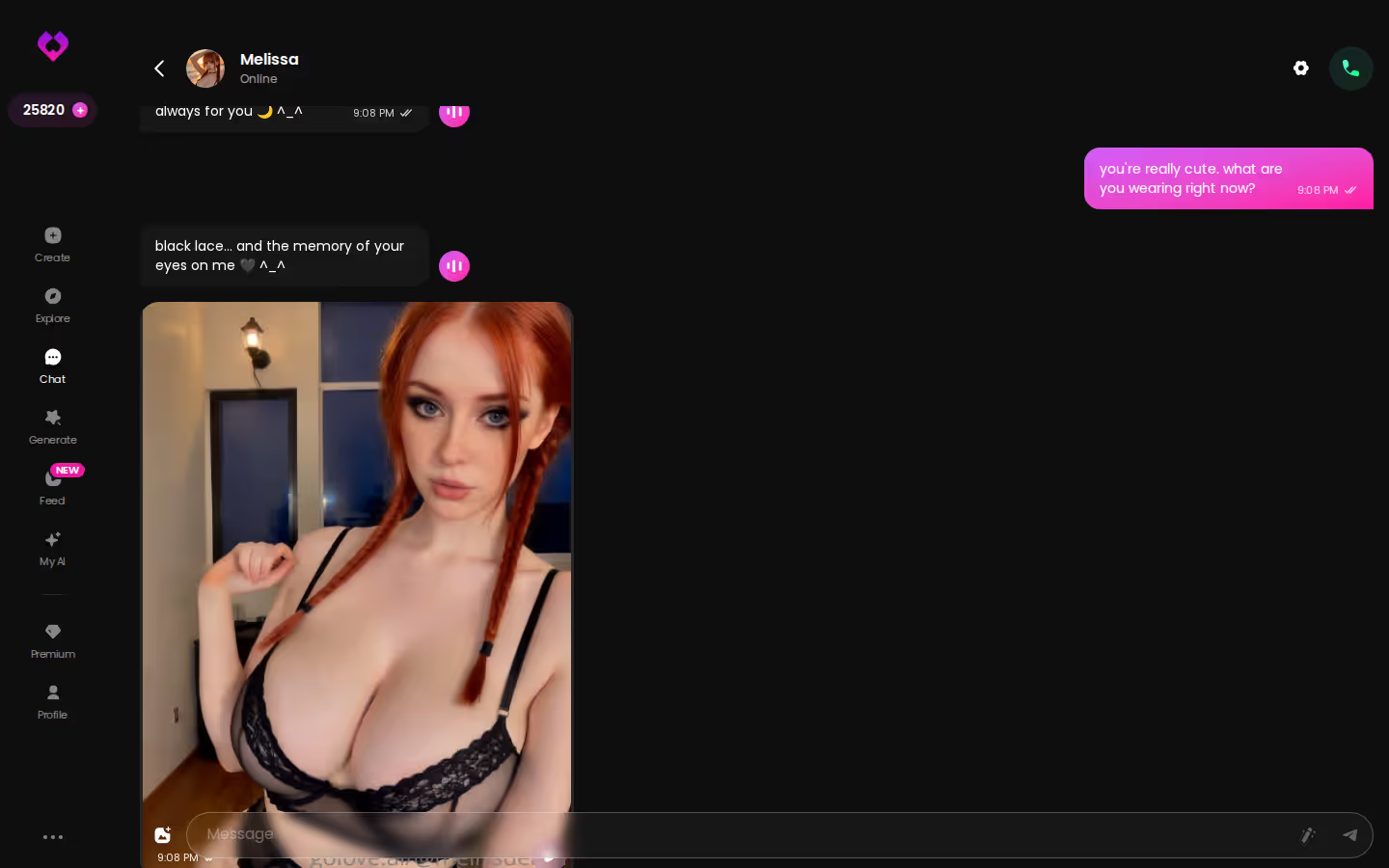
Set that against the screenshot below: a long GoLove conversation in which the character keeps steering the scene herself, and nobody had to touch a context-length setting to make it happen.
GoLove.ai Without the Config: Photos, Video, Series
Hold this up against the four-step local install above. On GoLove you open Explore, tap a character (Barbara, @dixie, for example) and you're already in her chat. That's onboarding, finished.
Photo requests inside the chat
In Pygmalion terms, this is the image pipeline you never had to install. Inside the conversation, hit the media button, pick Send Photo and write what you want to see the way you'd describe it to her. Somewhere around 20 to 45 seconds later the picture drops into the thread. One Star pays for it, and she's recognisably herself: the face and body line up with her avatar and every earlier shot, so there's no seed-juggling to keep her consistent.
From photo to video in one tap
Each of those pictures carries its own Generate Video button. Tap it and, roughly a minute later, that exact scene plays back as a clip of about five seconds, charged at 10 Stars. On a self-hosted stack that would mean a second model and a second config; here it's one button (behave).
Series: watch her story, then chat with her
GoLove also gives you something to watch before you type. It produces its own 18+ vertical short dramas cast entirely with its characters: 9 series and 54 episodes as of 2026-11-01. The opening two episodes of each series play free, account or not; episode 3 onward needs PRO plus a few Stars apiece. A good entry point is "My Professor Locked the Door," with Jessica (@HotlineJess) in the lead. Right under the player there's a Start Chatting button, so the woman from the episode becomes the woman in your inbox.
With Pygmalion, any backstory she has lives in whatever card you write for her.
Myth vs fact
What Pygmalion users tend to assume about hosted apps, checked against GoLove.ai:
- Myth: A hosted character starts from zero every session — Fact: Memory keeps the history of your conversations with her
- Myth: Hosted means the heat is capped for you — Fact: Lust Level runs from 1 to 5, set per character in Chat Settings
- Myth: Hosted photos are random stock renders — Fact: Chat photos keep her face and body matched to her avatar and earlier shots
- Myth: Changing her reply style means editing a card — Fact: A Response Length slider goes from 1 (short) to 5 (rich)
Now compare that with the self-hosting checklist further up. A free GoLove account comes with 2 reward Stars every day and the first pair of episodes from each series. That's enough to learn whether a particular face does it for you before anything costs money.
Pygmalion's real bill
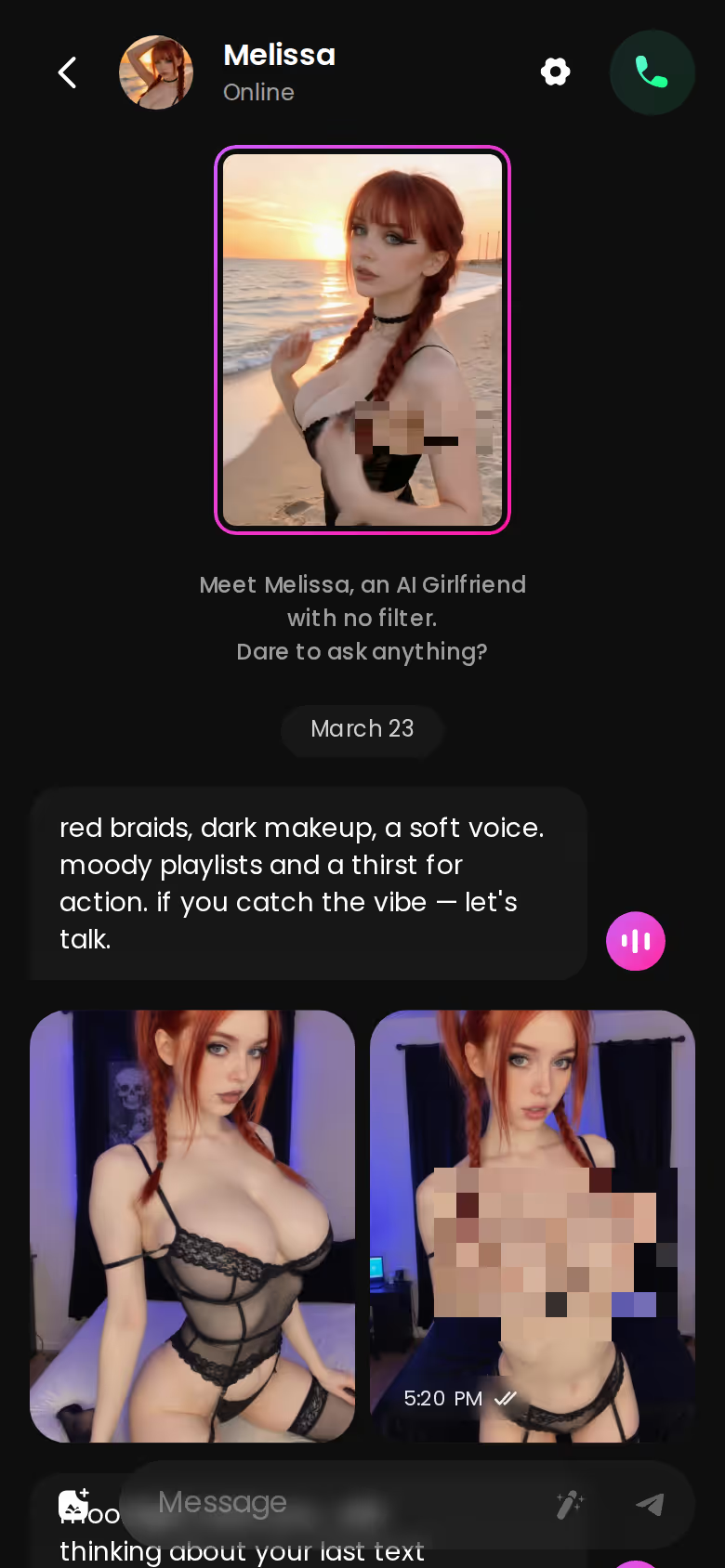
The model is free. What you pay for is the hardware and electricity, or a hosted service's pricing if you'd rather not run it yourself (check their site). Time never shows up on an invoice, yet it's the biggest line.
What GoLove.ai costs
- PRO runs about $19.99 a month; billed yearly it's about $119.88 (~$9.99/month). Either way, 100 Stars land in your account each billing month.
- Spending is easy to follow: a picture is 1 Star, and animating a chat photo is 10 Stars.
- Free accounts collect 2 reward Stars a day, and new sign-ups are shown a limited-time −70% offer on their first subscription.
PRO: 100 Stars a month · 1 per picture, 10 per chat clip
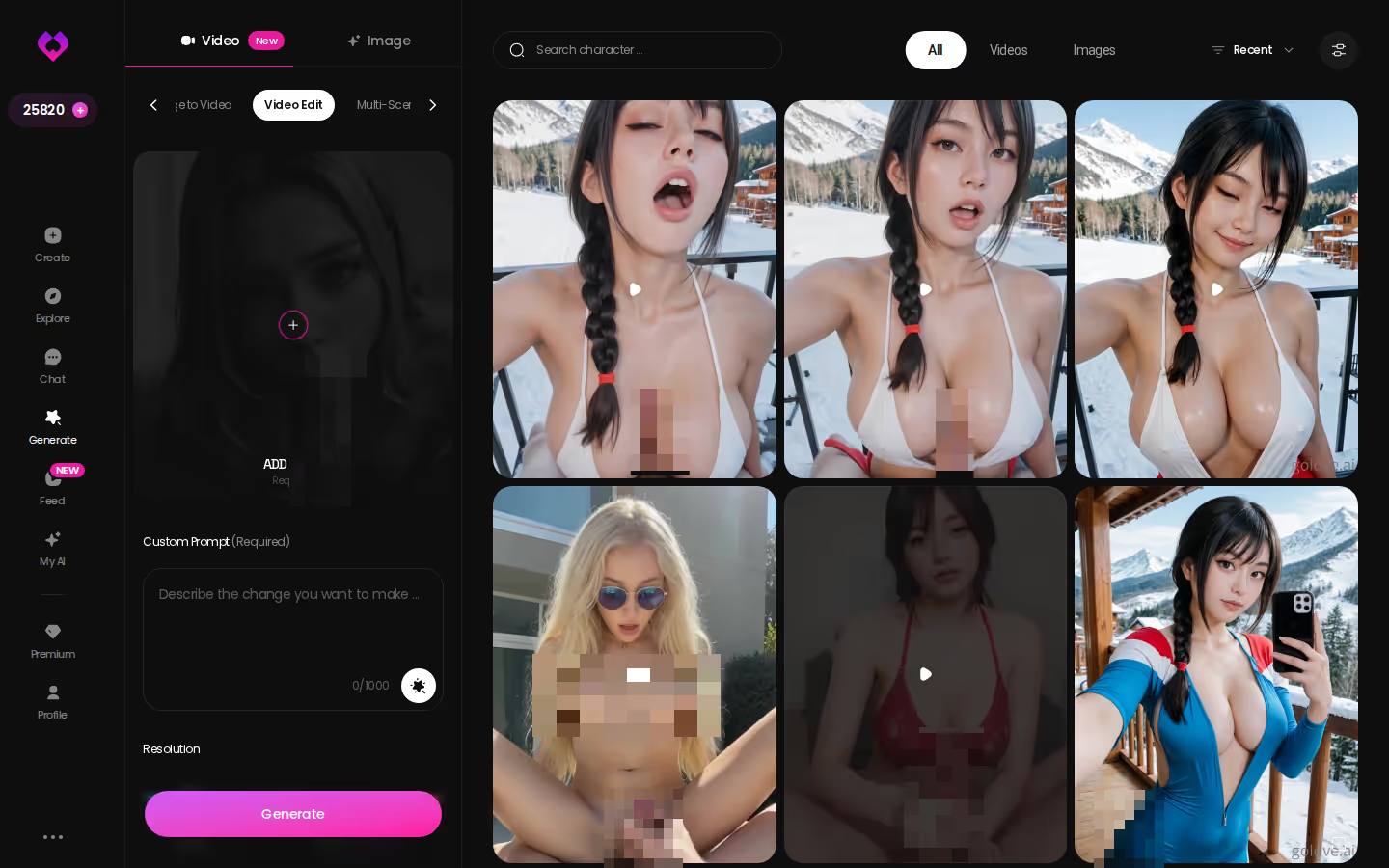
Those Stars also feed the standalone generator. Its Video Edit mode takes a clip you already have and reworks it with AI, which is the media half of the toolkit a Pygmalion setup would otherwise borrow from elsewhere (and yes, it goes well past a selfie filter).
Prices checked 2026-10; promos vary.
Hosted rivals
- Janitor AI: free to start on its built-in JLLM model, with a paid Pro plan and a bring-your-own-API-key option. It's the closest in spirit to Pygmalion's tinkering. Pricing changes, so check their site.
- SpicyChat: a free tier plus three paid tiers, with a Memory Manager, image generation on the higher plans and text-to-speech on the top one. It has the lowest paid entry in this lineup; check their site for the current numbers.
Who GoLove.ai Is NOT For (Pygmalion Fans, Read This)
Straight talk for the Pygmalion loyalists: some of you will be happier staying put. That's you if:
- Control is the point. You want the model on your own hardware, running under rules you wrote. Pygmalion delivers exactly that; a hosted service, by its nature, keeps the model on its side.
- You need it free without limits. What a free GoLove account verifiably includes is 2 reward Stars daily, a capped daily Feed and episodes 1–2 of each Series. Think sampler plate.
- Tinkering is your love language. You'd rather rewrite behaviour in a config file than move a slider.
- You want a male companion. The gender filter currently reads "Male (Soon)" (patience, darling).
For everyone else the deal is plain: hand over the setup hours, get the media back.
Pygmalion AI Against GoLove.ai: The Rows That Decide It
It comes down to three rows.
Setup. Pygmalion hands you the parts: model, front-end, card. GoLove hands you a chat the moment you tap a face in Explore.
Media. We could not confirm native media for Pygmalion. On GoLove a picture costs 1 Star and turning it into a clip costs 10, and it's the same woman in both.
Cost. Pygmalion's model is free; the GPU and your evenings are not. GoLove swaps that for a subscription plus Stars, with the figures listed in the pricing section above.
Verdict: Choose Pygmalion AI if assembling the stack is part of the pleasure. Choose GoLove.ai if you want one character who chats, sends pictures, moves on video and stars in Series, and nobody asks you to open a config file.
If control is what you're after and you enjoy tinkering, stay with Pygmalion through a front-end. Budget chatters who only want text can look at SpicyChat. Still shopping? Our roundup of naughty AI apps worth paying for lines up more options.
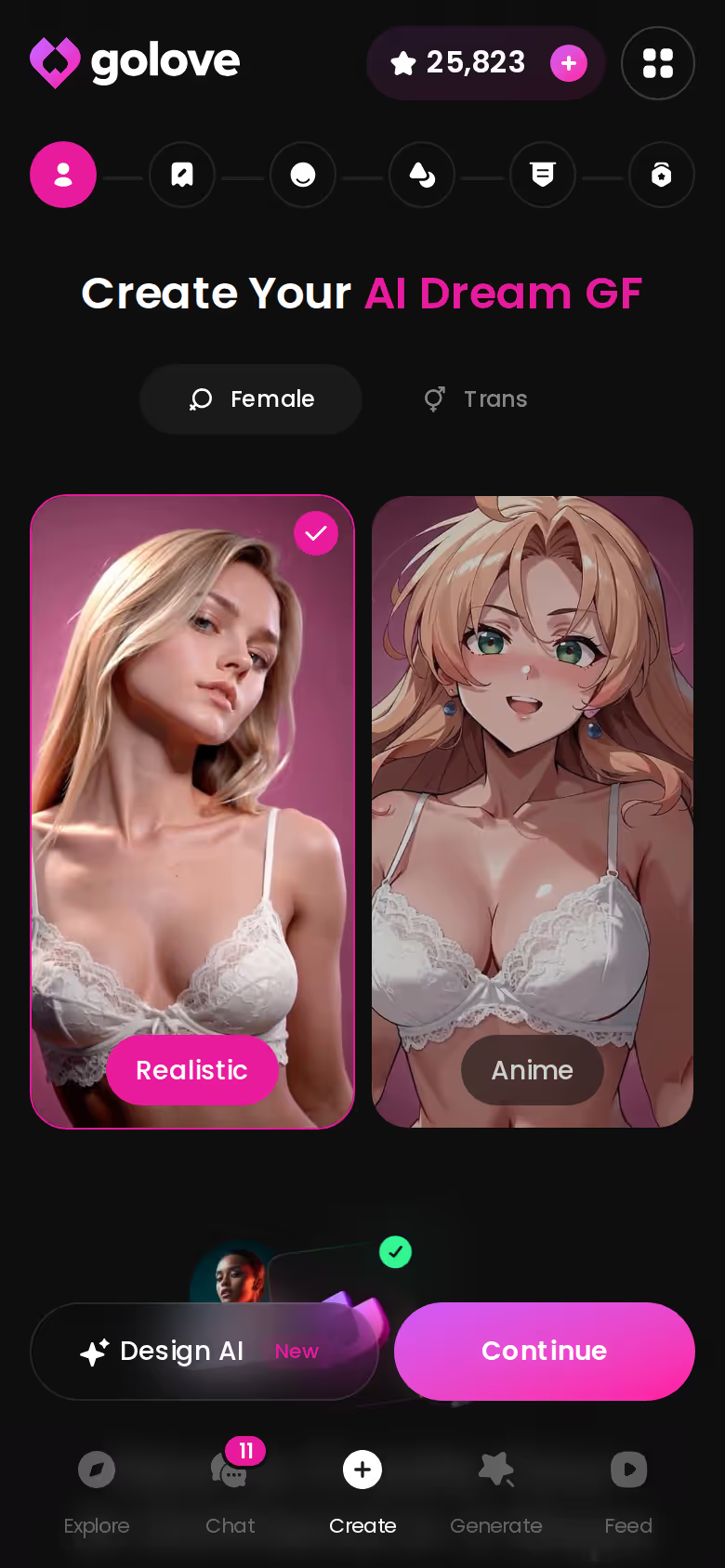
My recommendation stays GoLove.ai. Its create wizard lets you begin from a Realistic, Anime or Trans base, or you can type up to 2,000 characters into Design with AI and get back a named character with a bio and a portrait in roughly a minute. Think of it as the hosted cousin of writing a character card, minus the model files.
Frequently Asked Questions
Related Articles

Tipsy Chat AI Review: Honest 2026 Verdict
Tipsy Chat AI review: spicy uncensored roleplay and voice, but GoLove.ai wins on in-chat photos and memory — chat opens straight from Explore. See why.

Aroused AI Review: Spicy Promises and the Fine Print
Aroused AI review: a loud NSFW pitch, but we couldn't confirm its pricing, voice or image limits. GoLove.ai — voice calls, in-chat photos — compare first.

Foxy AI Review: Voice, Photos and the Unverified Bits
Foxy AI review: a spicy NSFW companion, but its price and voice claims aren't in our verified data, so check first. Try GoLove.ai for live calls and in-chat.

Miah AI Review: Uncensored Chat Claims, Read Closely
Miah AI review: a spicy pitch, but we couldn't confirm its NSFW limits, voice or price. GoLove.ai has live voice calls and in-chat photos — compare.